
The Documentation Graveyard
Or: Why Nobody Reads Your Confluence and What to Do About It
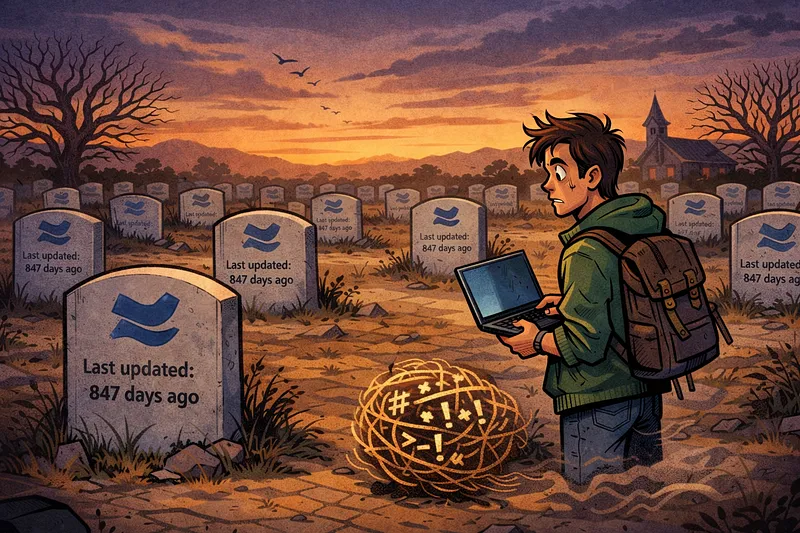
You wrote documentation last quarter. You know you did. You remember the afternoon you spent carefully formatting that onboarding guide, adding screenshots, cross-referencing the architecture diagram someone made in 2022. You even used proper headings. You felt good about it.
Nobody has read it.
Not your team. Not the new hire who joined three weeks later and spent two days asking questions that were answered — clearly and comprehensively — on page four. Not the senior engineer who rebuilt the deployment pipeline from scratch because, and I quote, “there wasn’t any documentation on how it worked.” There was. It was in Confluence. Buried between someone’s meeting notes from a Q3 planning session and a page titled “DO NOT DELETE — TEMP” that has existed since 2021.
As Mark Twain once put it, “I didn’t have time to write you a short letter, so I wrote you a long one.” We’ve taken this to heart in engineering — except we wrote the long version, put it somewhere nobody can find, and then wrote another long version six months later because we forgot the first one existed.
The Economics of Nobody Cares
Here’s the uncomfortable truth: most documentation in most companies is economically irrational. We’re spending engineering hours — expensive hours, mind you — producing artefacts that depreciate faster than a new car driven off the lot. The document is accurate on the day it’s written. Three sprints later, it’s aspirational fiction.
This isn’t because engineers are lazy or because documentation doesn’t matter. It’s because we’ve built documentation systems that violate basic economic principles. We treat documentation as a one-time capital investment when it’s actually an ongoing operational cost. And like any operational cost, if you don’t account for the maintenance, the asset becomes a liability.
The management thinker Peter Drucker observed, “What gets measured gets managed.” We measure feature delivery, we measure code coverage, we track deployment frequency. When was the last time you measured whether anyone actually read your documentation? Or whether it was accurate? We pour time into writing it and precisely zero time into confirming it still reflects reality.
I was in a meeting once with Pete, one of the engineering leaders here at Agoda, and an engineer was enthusiastically explaining how he was going to put his team’s entire system documentation into Confluence. Pete’s response was immediate: “Why? So no-one will read it?” The room went quiet, because everyone knew he was right. We’ve all been that engineer. We’ve all built documentation cathedrals that nobody visits.
Why Confluence Is a Documentation Graveyard
Let’s be specific about Confluence, since that’s where most of our collective documentation dreams go to die. Confluence isn’t a terrible tool. It has a decent editor, a rich plugin ecosystem, and it works well enough for project managers tracking meeting outcomes and product teams organising roadmaps. But for engineers? For technical documentation that needs to live, breathe, and evolve alongside the code it describes? It’s fundamentally the wrong tool.
The search is the most obvious problem. If you’ve ever tried to find something specific in Confluence, you know the particular flavour of despair I’m describing. You type in a precise term, and Confluence returns forty-seven pages, thirty of which are from archived spaces, twelve of which haven’t been updated since 2020, and the remaining five are meeting notes that happen to mention the keyword in passing. The thing you’re actually looking for? Page three of the results, behind a page title that gives no indication of its contents. Hacker News threads are full of engineers lamenting Confluence’s search — it’s not just your instance, it’s structural. The platform was designed for collaboration, not for information retrieval, and that distinction matters enormously when you’re an engineer trying to understand why a service behaves a certain way at 2 AM.
But the search problem is a symptom, not the root cause. The deeper issue is cultural: Confluence is where documentation goes to die because it’s separated from the code. It lives in a different tool, behind a different login (for some companies), with a different mental model. Engineers live in their IDE, their terminal, their Git repository. Asking them to context-switch to a browser-based wiki to update documentation is like asking them to fax in their code changes. It’s technically possible. Nobody’s going to do it.
And then there’s the format itself. Engineers think in Markdown. We dream in Markdown. Our READMEs are Markdown, our pull request descriptions are Markdown, our comments are Markdown. Confluence uses a WYSIWYG editor that occasionally decides to reformat your carefully structured content into something that looks like it was typeset by a particularly enthusiastic toddler. The friction is real, and friction kills habits.
“The Code Is the Documentation” — A Half-Truth
Now, before the “clean code” zealots start nodding too vigorously, let’s address the other extreme. “The code is the documentation” is one of those statements that’s simultaneously true and dangerous, like “money can’t buy happiness” — technically correct, but try telling that to someone who can’t make rent.
Yes, well-written code with clear naming, sensible structure, and thoughtful abstractions communicates intent far better than a Confluence page that was last updated when your framework was two major versions ago. Yes, Robert Martin was right that code should be readable. But code tells you what is happening and, if you’re lucky, how. It almost never tells you why.
Why does this service retry exactly three times with exponential backoff? Why does the deployment require a specific ordering of database migrations? Why does this configuration value exist, and what happens to the seventeen downstream systems if someone changes it? The answers to these questions aren’t in the code. They’re in someone’s head. And that someone left the company eight months ago.
You need standards for what gets documented and what doesn’t. Documentation for documentation’s sake will get you nowhere — it creates maintenance burden, gives you a false sense of completeness, and ironically makes the useful documentation harder to find because it’s buried under mountains of the useless kind. The question isn’t “should we document?” It’s “what is the minimum documentation that would prevent the next person from making an expensive mistake?”, this is how you reduce the liability, and also reduce bloat in the AI context window, but we’ll get to that later.
Docs as Code: The Way Forward
There’s a concept that’s been gaining traction across the industry for years now, and it works: docs as code. The idea is straightforward — treat your documentation exactly like you treat your code. Store it in version control. Review it in pull requests. Build and deploy it through CI/CD pipelines. Write it in Markdown or AsciiDoc, not in a proprietary wiki editor.
The Write the Docs community — one of the best resources for documentation practice in our industry — has been championing this approach for years. Their docs-as-code guide references adoption by organisations including Google, GitHub, GitLab, the UK Government Digital Service, and others. But here’s the thing that’s easy to miss: each of these organisations took years to implement it properly. This isn’t a weekend project. It’s a cultural shift disguised as a tooling change.
What makes docs as code work isn’t the tools — it’s the workflow integration. When your documentation lives in the same repository as your code, it shows up in the same diffs, gets reviewed in the same pull requests, and gets flagged by the same CI pipelines. An engineer changing a service’s behaviour sees the documentation sitting right there, in the same directory, and the mental cost of updating it drops from “I should log onto Confluence and find that page” to “I’ll add a line to this Markdown file while I’m here.”
Add automation and it gets even better. CI checks that remind you to update docs when certain files change. Linters that catch broken links, outdated references, formatting inconsistencies. Deployment pipelines that publish your documentation site automatically on every merge to main. The documentation stays alive because it’s woven into the same processes that keep your code alive.
How We Did It at Agoda: ag-docs
Here at Agoda, we built something called ag-docs. It’s our internal documentation platform, built on DocFX — Microsoft’s open-source documentation framework — with custom Agoda templates, hosted via GitLab Pages.
The numbers tell a story of slow, deliberate adoption. Back in 2022, we had maybe five to ten repos actively using it. Early adopters, the teams that were already frustrated enough with Confluence to try something different. By 2023, that had grown to fifteen to twenty-five, as word spread that this actually worked. By 2025, we crossed fifty active repos — over twenty-five teams and areas represented covering more than 30% of our engineers — and integrated with Glean for enterprise-wide AI-powered search and added Cursor IDE support. Looking forward, we’re projected to hit sixty-plus repos in 2026 as we experiment with LLM-powered auto-documentation.
That’s not a hockey stick growth chart. That’s four years of steady, intentional adoption. And that’s the honest truth about docs as code: it works, but it takes patience and persistence.
We’ve added features along the way that make the platform genuinely useful rather than just technically sound. AskGoda gives engineers AI-powered Q&A — you can ask a question about a page or get an automatic summary. Every page shows its maintainers with avatars and a direct “Ask maintainers a question” link, so if the documentation doesn’t answer your question, you know exactly who to ask. There’s a “Last Updated” indicator on every page — sometimes painfully honest, showing timestamps like “369 days ago” — and a simple “Was this page helpful?” feedback mechanism with Yes/No voting that will message the maintainers and create GitLab issues if it was a no.
None of this is revolutionary individually. Together, it creates accountability, discoverability, and a feedback loop that Confluence simply doesn’t provide.
The AI Angle: Why This Matters More Than Ever
Here’s where it gets particularly interesting — and urgent. With the rise of AI coding assistants, the location and quality of your documentation has taken on entirely new significance.
AI tools like Cursor, GitHub Copilot, and Claude Code work by consuming context. They read your code, your comments, your documentation — whatever’s available in the repository or context window — and use it to generate suggestions, answer questions, and help you navigate unfamiliar codebases. If your documentation lives in Confluence, your AI assistant can’t see it. It’s locked behind an authentication wall, stored in a proprietary format, invisible to the tools your engineers are increasingly relying on. If your documentation lives with the code, in Markdown files in the same repository, it’s immediately available as context. And yes you can use MCP and build infrastructure, but that requires intention, effort and maintenance (more moving parts).
But there’s a critical caveat, and it’s one that connects back to Mark Twain’s observation about long letters. More documentation is not necessarily better documentation, especially for AI. Every line of documentation you feed into a context window is a line of code or additional context that gets pushed out. AI models have finite context windows — they can only “think about” so much at once. Bloated, verbose, outdated documentation doesn’t just waste human attention; it actively degrades AI performance by filling the context window with noise instead of signal.
This is the same principle that was true before AI, just made quantifiable. Too much documentation creates maintenance overhead that nobody can keep up with. Pages go stale, contradictions emerge, and engineers learn to distrust the docs — which is arguably worse than having no docs at all, because at least with no docs they know they’re operating without a safety net. With stale docs, they think they have one.
The discipline is the same as Twain’s discipline: write the short letter. Document what matters, where it matters, in the least amount of words that accurately convey the information. Delete the rest.
What Actually Works: A Practical Framework
After years of watching documentation efforts succeed and fail across multiple teams, here’s what I’ve seen work consistently.
Put docs next to code. Markdown files in the repository, co-located with the code they describe, or even xml comments doc too (JavaDoc, KDoc,rustdoc,TSDoc,C# XML,etc). Not in a separate wiki, not in a shared drive, not in someone’s personal notes. In the repo, where version control tracks changes and pull requests enforce reviews. If an engineer needs to open a different application to update documentation, they won’t do it. If they’re already editing files in the same directory, the friction drops to nearly zero.
Automate the nagging. CI pipeline checks are the documentation equivalent of those annoying but effective reminders to floss. When specific files change — API contracts, configuration schemas, deployment scripts — trigger a check that asks: “Did you update the docs?” Not a gate that blocks merging, necessarily, but a visible nudge that makes the omission conscious rather than accidental. You can using AST linting with the XML comments docs too. The Write the Docs community has documented extensively how adding these small automations has been one of the most effective drivers of documentation freshness across organisations that adopted docs as code.
Define what’s worth documenting. Not everything needs documentation. Internal implementation details that change every sprint? No. Architecture decisions and the why behind them? Absolutely. API contracts and integration points? Essential. “How to set up your local development environment”? Worth its weight in gold for onboarding. The key is having an explicit, agreed-upon standard. Without it, you’ll oscillate between documentation deserts and documentation swamps, neither of which serves anyone.
Make discovery easy. Docs are right their in the repo, closest to the code as possible.
Measure and cull. Track page views, track feedback scores, track staleness. Documentation that nobody reads is documentation that shouldn’t exist. It’s contributing to cognitive overhead, maintenance burden, and — increasingly — AI context pollution. Delete ruthlessly. If a page hasn’t been viewed in six months and hasn’t been updated in a year, it’s a candidate for removal. If someone needs that information later, they can reconstruct it. The cost of carrying dead documentation is higher than the cost of occasionally recreating it.
Keep it short. This is the hardest one, because thoroughness feels like conscientiousness. But every additional paragraph is an additional paragraph that can become stale, that needs maintenance, that competes for attention with the paragraphs that actually matter. The best documentation I’ve seen reads like a well-written commit message: here’s what this does, here’s why, here’s what you need to know. Anything more is a luxury you probably can’t afford to maintain.
The Bottom Line
Documentation isn’t a solved problem, and it never will be. It’s not a project with a finish line. It’s a discipline, like testing or code review — something you build into your engineering culture and maintain through habits and systems rather than heroic one-time efforts.
The teams that get this right aren’t the ones with the most documentation. They’re the ones with the right documentation, in the right place, maintained by the right processes. Markdown files next to the code they describe, reviewed in the same pull requests, discovered through intelligent search, and ruthlessly pruned when they stop earning their keep.
The teams that get this wrong spend engineering hours producing beautiful, comprehensive documentation in Confluence that nobody reads, nobody maintains, and nobody trusts. They write the long letter because they didn’t invest the time to write the short one.
The age of AI has only raised the stakes. Your documentation isn’t just for humans anymore — it’s training material for the tools that are increasingly writing and maintaining your code. If that training material is stale, bloated, or locked away in a tool your AI assistant can’t access, you’re not just failing at documentation. You’re actively handicapping the next generation of your engineering workflow.
Now, if you’ll excuse me, I need to go check when our team’s onboarding guide was last updated. I have a sinking feeling it still references a service we decommissioned in Q2.